بِسْمِ ٱللَّٰهِ ٱلرَّحْمَٰنِ ٱلرَّحِيمِ
The Real Problem
What should this person be allowed to do for this specific student?
A parent may need to comment on one child's assignment but should not see the whole school. A tutor may want a parent to help assign work at home without making them an account admin. A principal may need view-only oversight. A self-managed learner may need to manage their own memorization record without seeing anyone else's.
These are product use cases, not edge cases. Quran learning happens across classrooms, homes, and one-on-one relationships. The access model has to match that.
Invite Someone for One Student, Not the Whole Account
When inviting a parent or guardian, QuranPortal now asks which student the person is connected to and what kind of access they should receive. That makes the invitation match the real-world relationship.
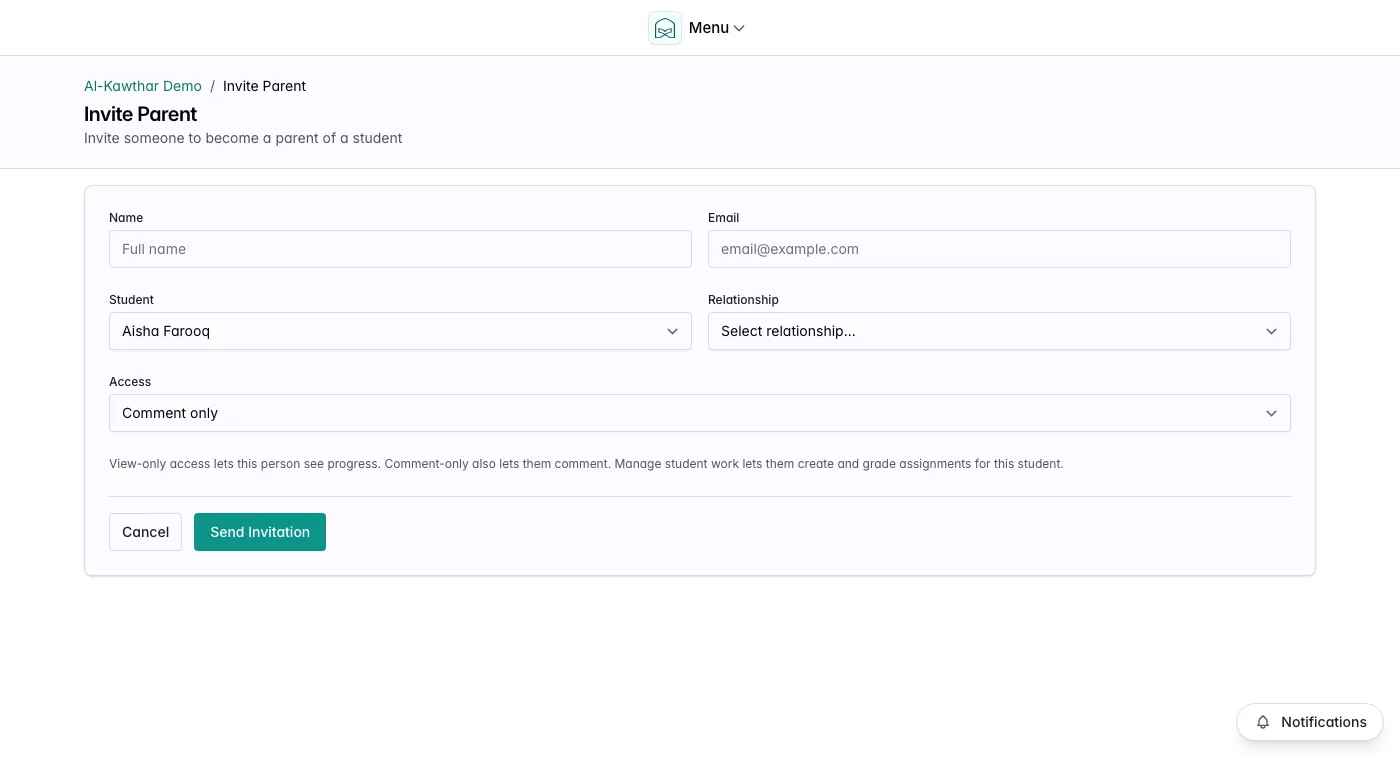
That small choice unlocks several workflows:
- A parent can follow progress and leave comments without becoming a teacher.
- A parent who actively runs home practice can manage assignments for their own child.
- A relative, coordinator, or sponsor can be invited as view-only when they only need visibility.
- A self-managed learner can be connected to their own record without account-wide privileges.
The old question was "what role does this user have?" The better question is "what help are they supposed to provide for this student?"
Families Can Help Without Becoming Staff
In many Quran programs, parents are not passive viewers. They listen at home, remind the student what to prepare, help with revision, and sometimes coordinate makeup work. But giving a parent broad teacher access is too much.
The new access levels give schools and tutors more room:
- View only for someone who should only follow progress.
- Comment only for family communication around assignments.
- Manage student work for trusted family members or learners who should create and update work for that student.
This is useful for homeschool Quran tracking, private tutoring, and schools where families are expected to support daily memorization practice.
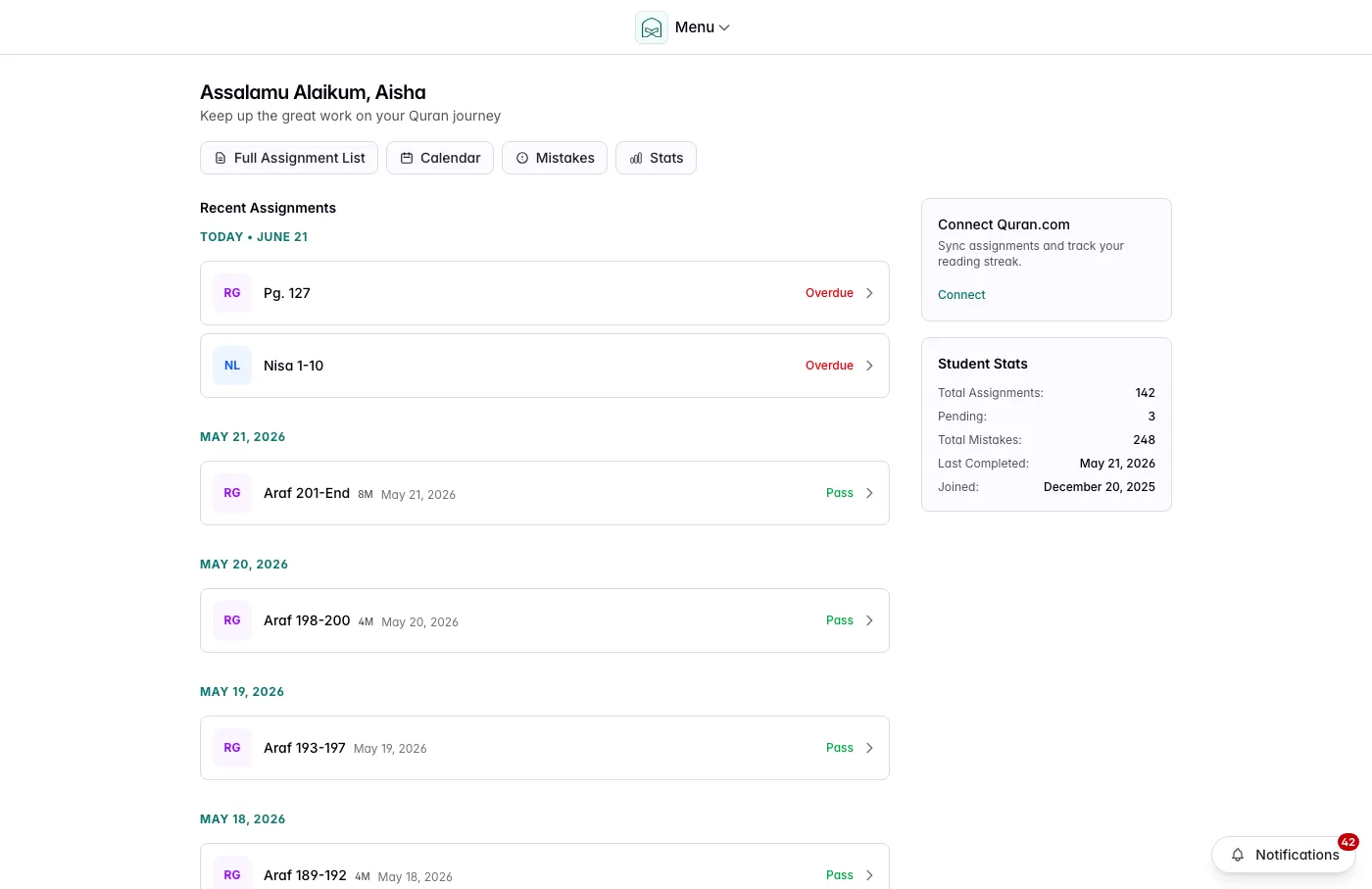
Schools Can Separate Teaching From Administration
A school admin and a classroom teacher are not always the same person. A teacher may only teach Class A. Another teacher may only cover revision. An administrator may manage users and classes but not personally grade every assignment.
QuranPortal now treats classroom teaching as its own source of access. Teachers are connected to the classes they teach, and student work follows those class assignments. That means:
- A teacher can focus on their own class instead of seeing every student in the school.
- Moving a student to another class moves the teaching responsibility with them.
- An admin can manage the account without automatically becoming every student's teacher.
This matters as soon as a maktab grows beyond one teacher. It keeps the dashboard quieter, reduces mistakes, and makes it clearer who is responsible for each student.
Student Access Is Visible and Auditable
Access should not be mysterious. On a student profile, admins can see who has access to that student, their relationship, and what they can do.
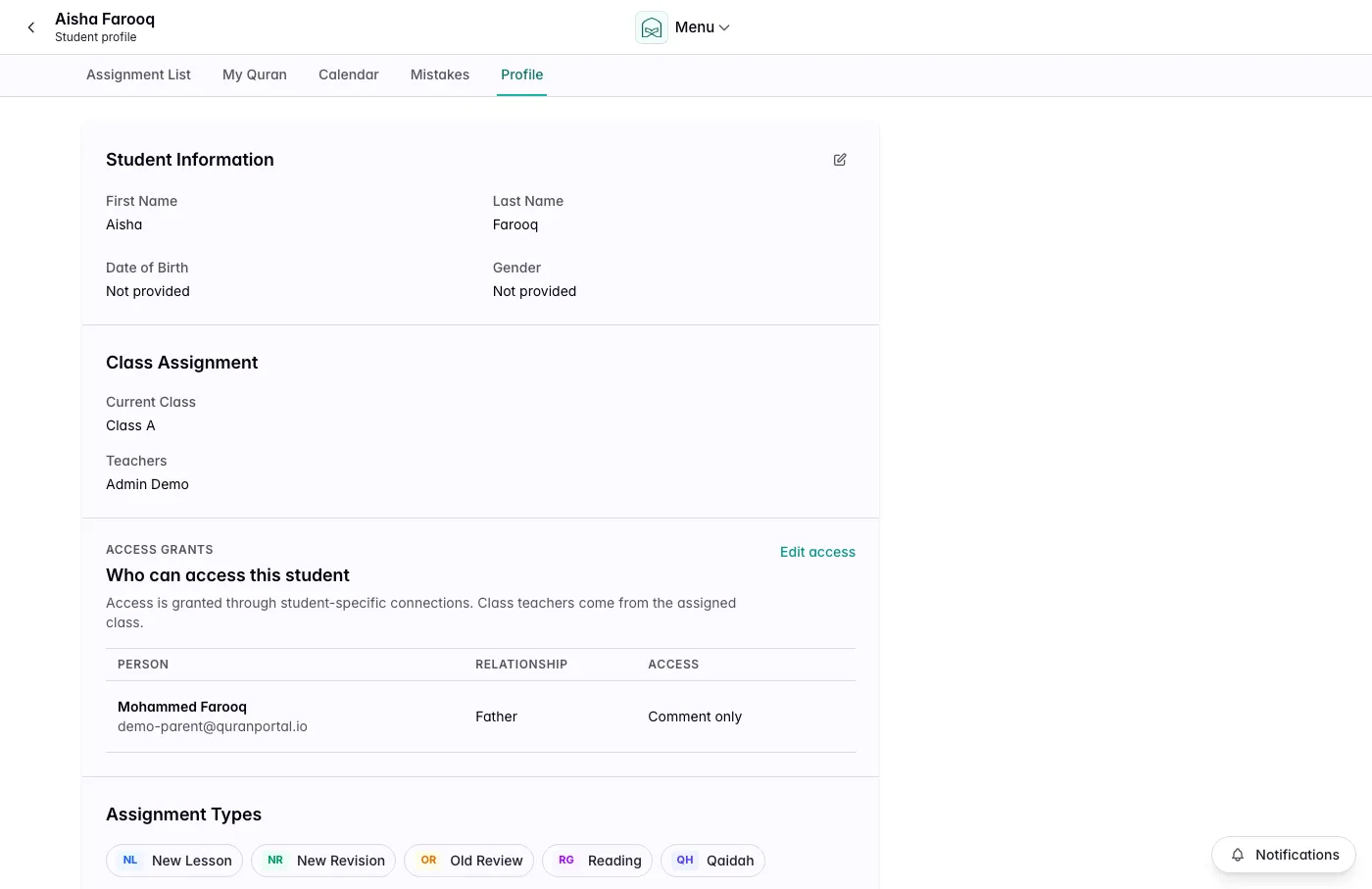
This makes common admin questions easier to answer:
- Can this parent see the student?
- Can they comment, or only view?
- Who can manage this learner's assignments?
- Who should be removed when a family leaves the program?
Use Cases This Unlocks
A School With Multiple Teachers
Teachers can be assigned to the classes they actually teach. Parents can be invited to only their children. Admins can manage the school without every admin action turning into teacher access.
A Private Tutor Working With Families
The tutor can invite one parent to comment, another parent to manage work, and a student to view their own progress. Everyone gets the right amount of control for their role in the learning process.
A Family Tracking Quran at Home
A parent can manage assignments for a child without needing school-style admin permissions. A second parent can follow along and comment. Older learners can participate directly.
A Self-Managed Learner
An adult learner can track memorization, revision, and reading as their own student record. They can manage their work without being given access to unrelated students or account settings.
An Observer Who Needs Visibility
A principal, coordinator, sponsor, or relative can follow progress without changing assignments, comments, tags, or notes.